Browse our comprehensive product guides and documentation

First impressions matter, and nothing says professional like a custom domain.
With Custom Domains, you can now create personalised URLs for your Tapni digital business cards, which means:
If you already own a custom domain or plan to purchase one, you can easily connect it to your Tapni profile or dashboard. This allows your digital business card to load under your personal or company-branded domain name.
Go to your Tapni Dashboard and navigate to the Domain Settings section.
Here, you can add your desired custom domain (e.g., card.yourcompany.com).
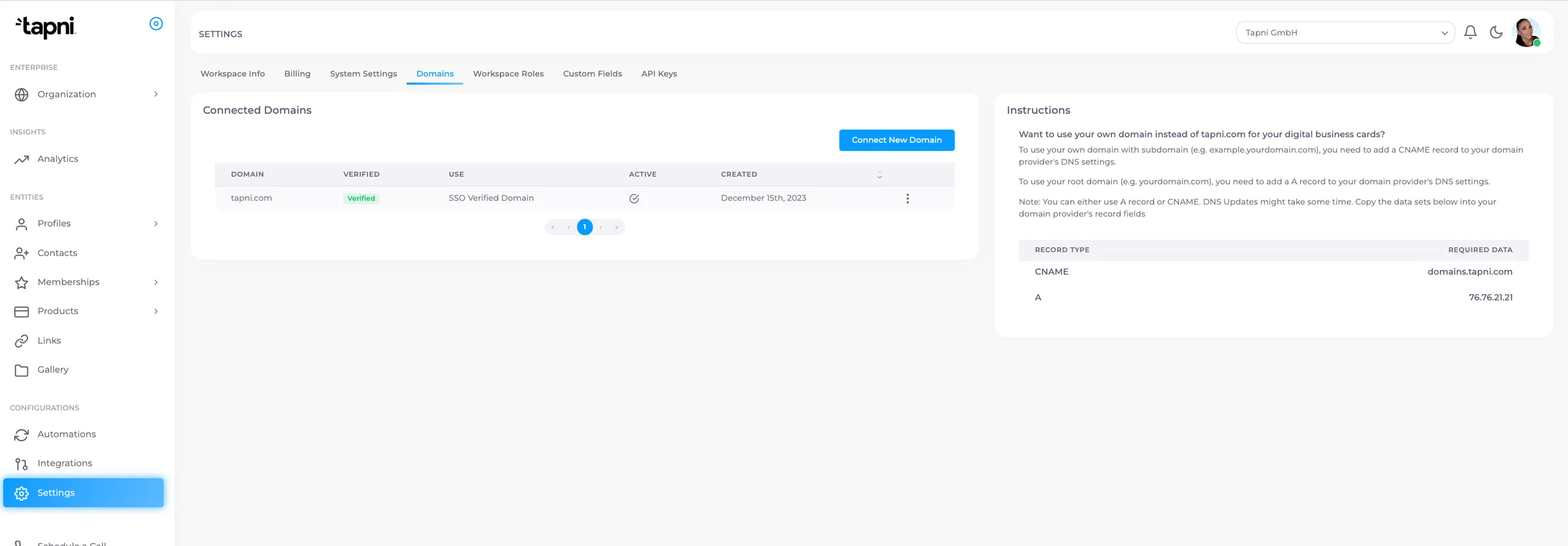
Once the domain is added, the next step is domain verification via Tapni team - that will be done within 24h automatically.
This confirms that you own the domain and have permission to use it.
The final step is to go to your DNS settings (on your domain provider’s platform, like IONOS) and add a CNAME record.
Point your subdomain (e.g., card.yourcompany.com) to the Tapni domain provided.
This might look like:
card.yourcompany.com → cname.tapni.link
📌 The image shows how this looks inside IONOS for example.
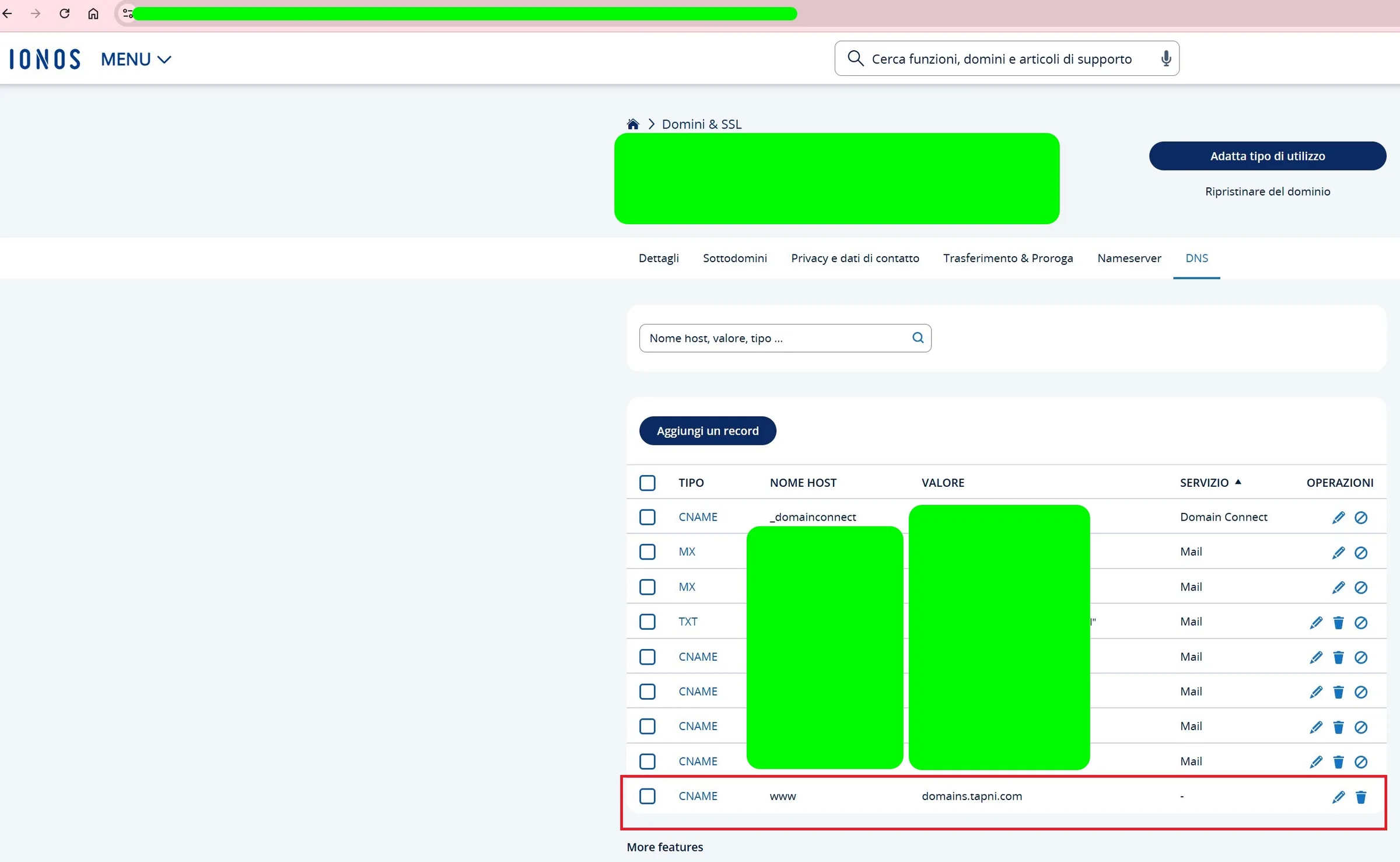
Once the CNAME is added, your Tapni profiles will automatically load on your custom domain.
This not only improves your branding but also makes your Tapni experience more professional and personalized.
Need help? Reach out to our support team at support@tapni.co and we’ll guide you through the process.