Browse our comprehensive product guides and documentation
First impression matters (Harvey Spectre said the same thing in Season 1 of Suits).
And when we’re talking about your brand, there are a few major things that will create an image about it.
First is your product: how quality it really is and how affordable it is. What problem does this products solves, and how much is improving the lives of others?
The second one are people: what kind of people are working in your company? How they’re contributing to your company’s mission? Does their job leaves some space for their personal development as well? In general, are they becoming better by doing what they’re doing, and does your company becomes better because of them?
And the final one is: your online reputation. That includes your website, social media channels, marketing & branding, as well as the value you’re providing with your products, services, and stuff you’re sharing with others.
And let’s be honest: you can’t know more about the first and the second thing until you check the first one - the website. If you want to buy, for example, a digital business card, you will first check available providers globally, and compare them. You won’t make any purchase before you check their websites actually.
Whenever your customers visit your website, they enter a URL containing your domain.
That’s why it is so important to find a great custom domain that fits into your brand identity. But that’s not enough: you’ll need to learn how to use your domain for many more segments, and that’s what we’re going to show you in this blog.
Source: platforms.com
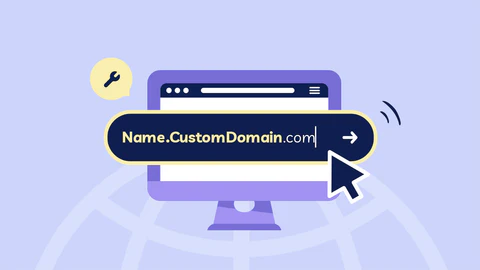
Custom domain is a unique web address that a business or individual owns and uses for their website, such as www.companyname.com. Unlike free subdomains provided by platforms (e.g., companyname.wordpress.com), a custom domain is chosen by the business and is more professional and personalised.
A custom domain simply gives a company a more professional image. Having a domain name that matches the brand helps create a strong and credible online presence, giving customers more confidence in the business. For example, www.brandname.com looks more authoritative than brandname.someplatform.com.
By the way, did you know that custom domain can actually help boost click-throughs by 2.4x? Click here and create your own ✅
A custom domain builds trust with customers and visitors (needed if you would like to have a profitable business, by the way). Additionally, a personalised domain shows that a business is established and serious, which is important for attracting new customers, particularly in competitive industries.
Why this can be important to you as a business owner?
Because every detail matters - including the links that lead to your website.
Search engines, like Google favour websites with custom domains because they tend to be more relevant and trustworthy; and a custom domain helps in improving search engine rankings, which can increase organic traffic to the business website.
There are more reasons why is important to have a quality & effective custom domain.
With a custom domain, businesses have full ownership and control over their web address, unlike when using subdomains from free website services. This ownership is important for long-term growth and scalability, and businesses can use the domain for multiple purposes like email addresses (for example, info@companyname.com).
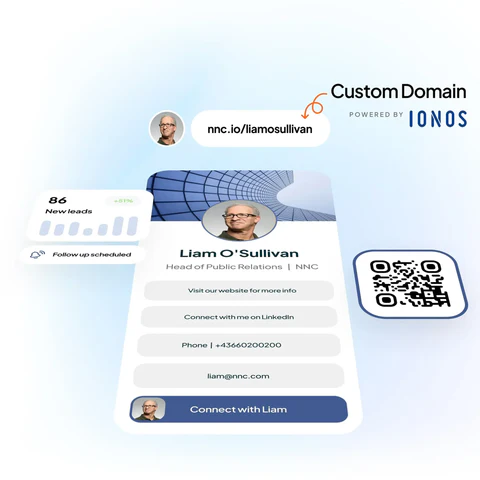
As a brand, with a quality custom domain (that’s also easy to access - short and easy to remember) you can easily gain consistency across all marketing channels, including websites, emails, and advertisements. Customers often associate custom domains with professionalism and reliability.
Businesses often use multiple custom domains for specific marketing campaigns or product launches. For example, using productname.com for a new product line helps focus marketing efforts and creates an effective online identity for that specific campaign.
Marketers often create custom domains or subdomains to drive traffic to specific landing pages for promotions, events, or lead generation. For example, a brand might use sale.brandname.com during seasonal promotions, making it easy for customers to find relevant deals.
Often those domains and/or subdomains are just link (URL) redirects to the main website page. For example, if you would like to visit the official website of Coca Cola Store, you can type shareacoke.com.
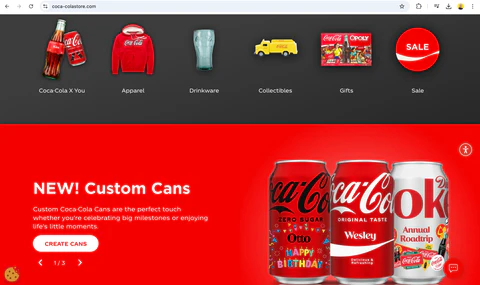
Source: Screenshot from the shareacoke.com website
Nike, the biggest sport brand in the world, use link shorteners, domains & subdomains to redirect its customers to product pages, or membership pages.
By the way, do you know how brands like Nike, Starbucks, or Amazon are using QR Codes? Find out here. ✅
Custom domains are not only for big names & brands in the industry.
As an individual, whether you’re a freelancer, business consultant, or artist, a custom domain reflects credibility and helps people find you more easily.
You can use a custom domain to showcase your portfolio, resume, and achievements. If you’re a designer, writer, or photographer, for example, your domain can become a digital gallery for your work.
One of the main benefits of having the custom domain as an individual is that you can easily share your work with potential clients, employers, or collaborators. On your own domain, you maintain full ownership and control of your content, unlike platforms like Medium or Blogger.
Just as for businesses, with a custom domain, you can create personalised email addresses like contact@yourname.com or info@yourportfolio.com. These email addresses look more professional than using free services like Gmail.
Here we go - it’s finally a moment to find out how to create a custom domain. 🫠
We will recommend you a step by step process to choose & create the best possible custom domain for yourself or your business. After having your domain, you’re ready to take further important steps for your personal or business promotion.
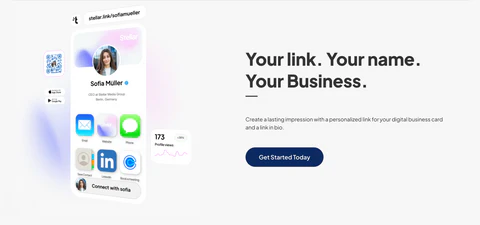
By the way, did you know that with Tapni you can buy a Custom Domain for 30% less money than on other websites? Wanna have something like mihajlo.link instead of t.link/mihajlo? Don’t miss out to get your custom domain today! 🚀
Here are the major 7 steps for becoming an owner of a domain you want:
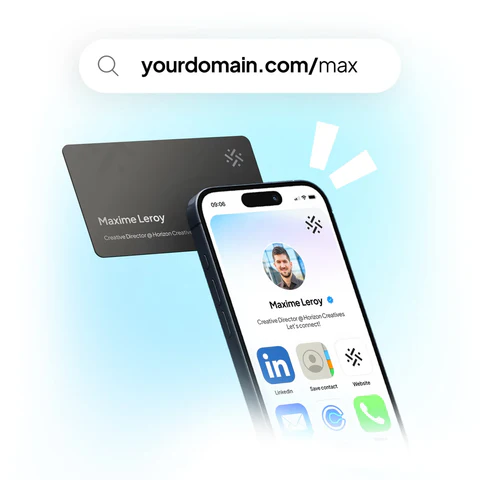
Today we’ve covered why custom domains are so important, and why you should start using them as soon as possible - it doesn’t matter if you have business or personal needs: it will work well in both cases. The main reasons why you should go for it are:
We’re aware that maybe this is your first time of choosing a domain, and we want to make it easier for you. That’s why our team created list of 10 tips on how to choose a right custom domain.
Make sure to check each tip before purchasing your custom domain.
Here they are:
Keep It Short And Simple - Shorter domain names are easier to type, remember, and share. Try to keep your domain between 6-14 characters. Avoid long and complex words or phrases that might confuse users.
Use Keywords - Using a keyword research service, you can research relevant words and incorporate them related to your business or industry in your domain. You can use the best keyword research tools to gather accurate data on search volume and competition. Additionally, leveraging the Best Shopify SEO Apps & Tools can further improve your website visibility, boost search engine optimisation (SEO), and help potential visitors clearly understand your site's focus.
Avoid Numbers and Hyphens - Numbers and hyphens can make the domain harder to remember and can cause confusion when people try to share your domain verbally (for example, the can ask "Is it 5 or five?" or "Is there a dash?").
Ready to create custom domains with Tapni? 🚀
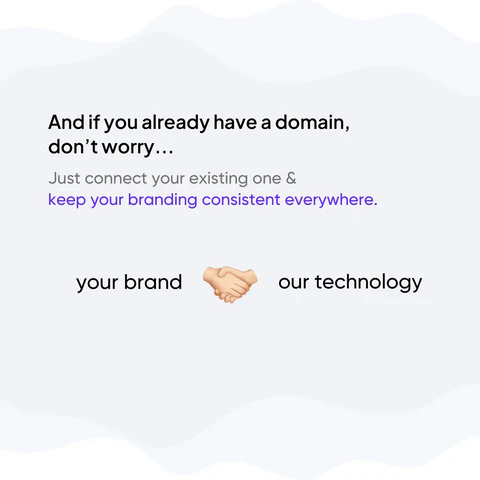
Check our other articles on this topic, and learn how to benefit as much as possible from using great URLs!
How To Make Spotify Link Shortener?