Browse our comprehensive product guides and documentation
Getting paid should be the simplest part of running a small business. In practice, the best payment setup depends on how you sell: online, through invoices, at a counter, at a pop-up, or face to face after meeting a potential customer.
In 2026, small businesses can combine hosted checkout links, digital invoices, bank debits, card terminals, and phone-based contactless payments without building a complex payments stack. The goal is not to offer every possible method. It is to make the next step from interest to payment obvious and frictionless.
That matters especially for entrepreneurs who generate business through meetings, referrals, conferences, and events. A digital business card can handle the introduction and follow-up, while your payment provider handles the transaction. If networking is a major acquisition channel for you, see Tapni’s guide on how to network as an entrepreneur.
Key takeaways
• Use payment links or hosted checkout pages for fast online selling without building your own checkout.
• For larger invoices, bank debit can be materially cheaper than cards. In the US this often means ACH; in Europe, SEPA Direct Debit or bank transfer may be more relevant.
• Tap to Pay on iPhone and equivalent Android solutions let supported payment apps accept contactless payments directly on a phone, without a separate card reader.
• For businesses that sell through relationships, make payment part of the customer journey: contact exchange first, then a clear booking, deposit, invoice, or checkout link.
• Fees and settlement times vary significantly by country, card type, payment provider, and business model, so treat published ranges as a starting point rather than a universal price.
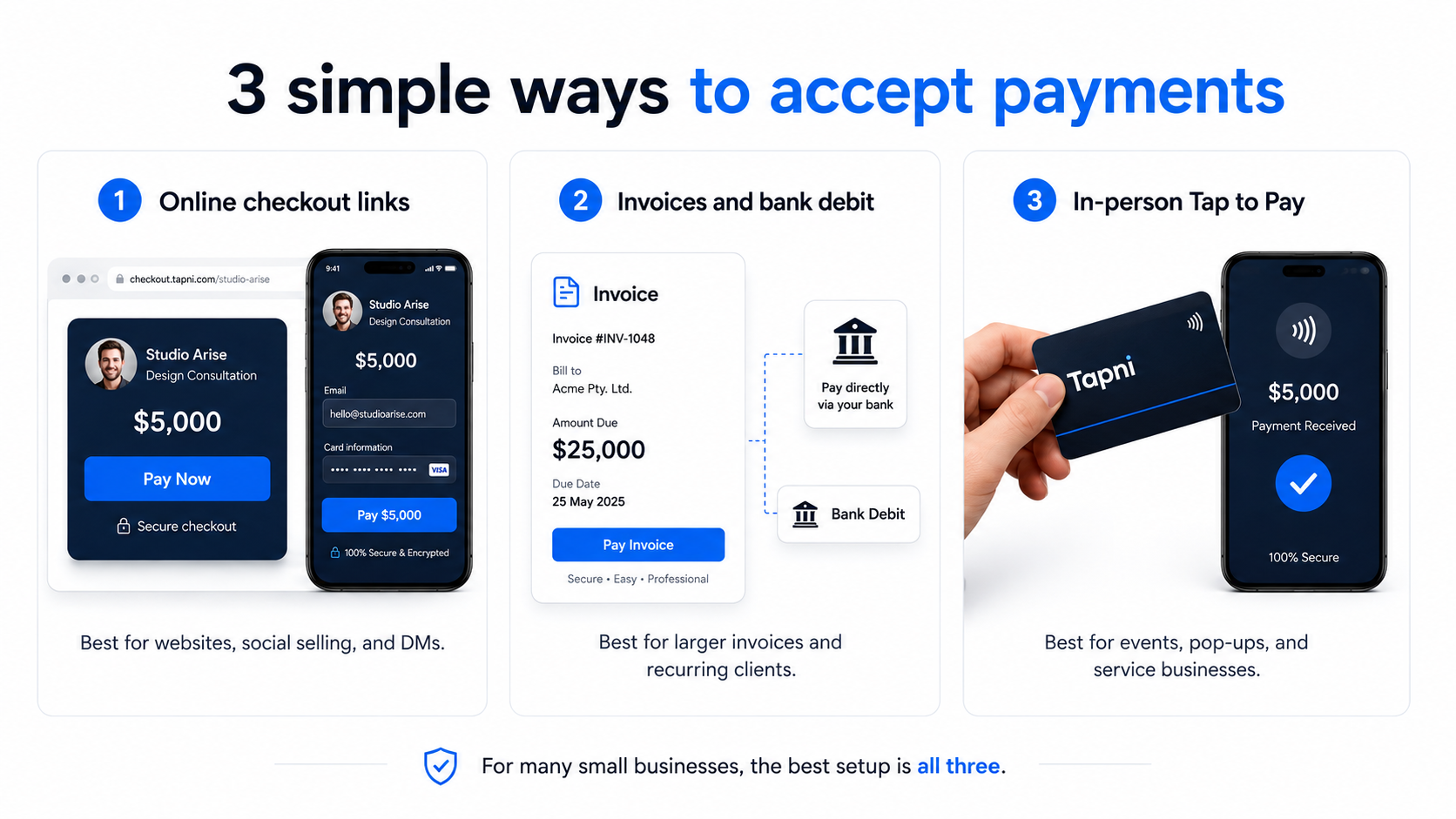
The right method depends less on what is technically possible and more on the context of the sale. A $40 product at a market stall and a $4,000 consulting invoice should not use the same payment flow.
|
Method |
Best for |
Typical cost pattern |
Typical settlement |
|
Checkout link or hosted page |
Online sales, social selling, deposits |
Usually card/wallet processing fee + possible fixed fee |
Often 1–3 business days |
|
Invoice with pay button |
B2B services, freelancers, retainers |
Card fee or lower-cost bank debit |
Usually after payment settles |
|
Card terminal / reader |
Retail counters, fixed locations |
Card-present rate + hardware cost |
Often 1–2 business days |
|
Tap to Pay on phone |
Events, pop-ups, house calls, mobile services |
Usually in-person/card-present pricing; provider may add a fee |
Often 1–2 business days |
|
Bank debit (ACH / SEPA) |
Larger invoices and recurring B2B payments |
Often lower than cards; pricing varies by market |
Usually slower than cards |
|
Buy now, pay later |
Higher-ticket consumer purchases |
Higher merchant fee than standard cards |
Provider-specific |
Note: these are general patterns, not quotes. Payment pricing and payout speed vary by country, provider, card type, currency, and risk profile.
For many small businesses, the fastest route online is a hosted checkout page or payment link. You create the product or amount inside your payment provider, generate a link, and share it through your website, email, messages, social media, or a QR code.
The provider handles the sensitive card-entry flow and payment processing. That can dramatically reduce the technical work compared with building a checkout from scratch, but you still need to follow the provider’s onboarding, security, refund, tax, and compliance requirements.
If you sell services to other businesses, invoices are often more natural than a generic checkout. A good invoicing flow lets the client pay directly by card or bank debit from the invoice, which reduces back-and-forth and avoids manual bank-detail entry.
Also check which methods can appear at checkout. Cards and digital wallets such as Apple Pay and Google Pay are widely expected. Buy now, pay later can make sense for larger consumer purchases, but the merchant fee is typically higher, so it should be tested against the conversion lift rather than enabled automatically.
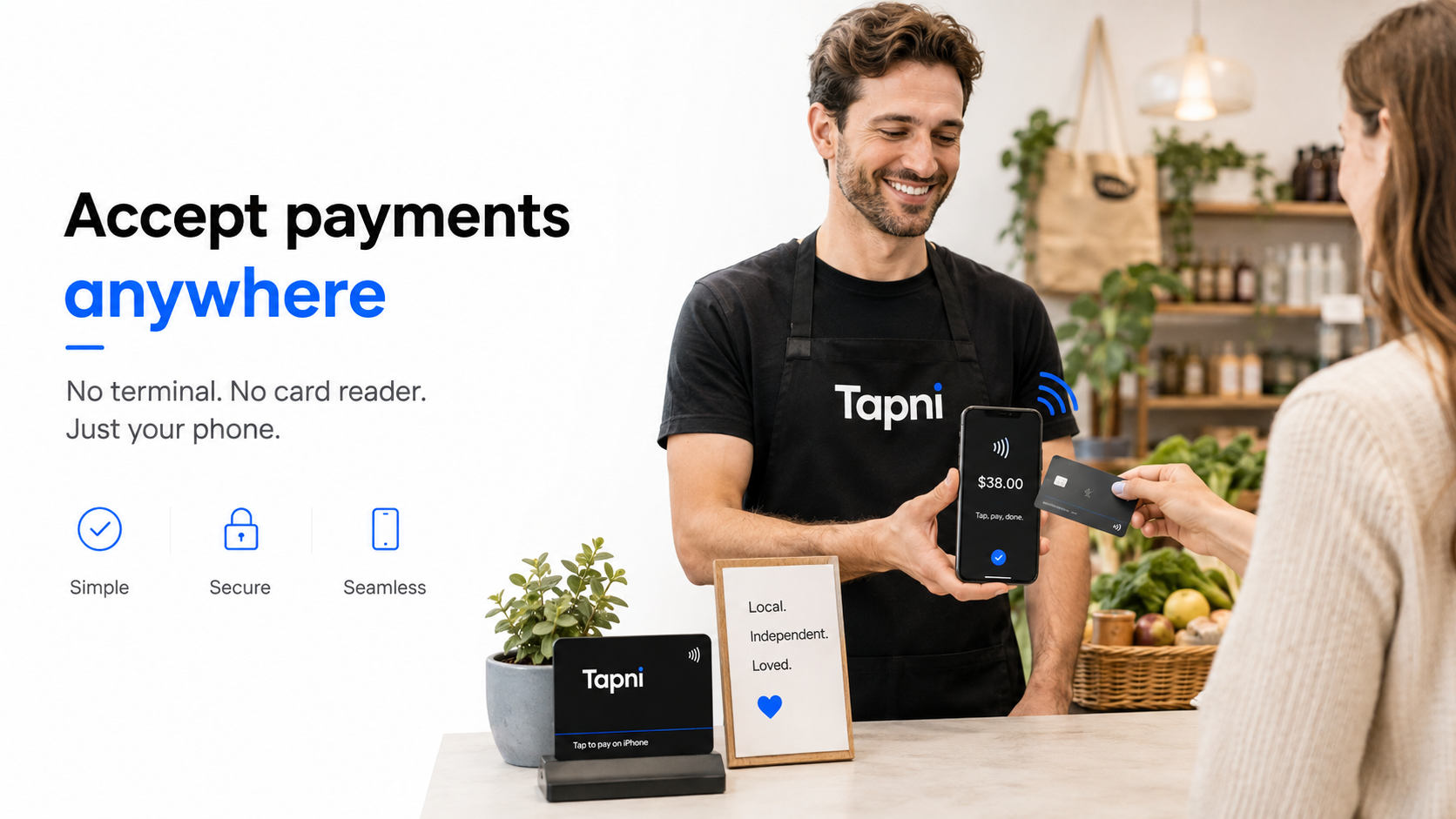
In-person payments have changed significantly because the phone itself can now become the acceptance device. Apple’s Tap to Pay on iPhone allows supported payment apps to accept contactless debit and credit cards, Apple Pay, and other digital wallets directly on a compatible iPhone. Similar NFC-based options are available on Android through participating payment providers.
This is particularly useful for mobile businesses: consultants collecting a deposit after a workshop, exhibitors selling at a trade show, photographers on location, home-service businesses, coaches, market sellers, and pop-up retailers. Instead of carrying a separate reader, you can present the amount and let the customer tap their card or wallet on your phone.
Before relying on phone-based acceptance, confirm that both the feature and your chosen payment app are supported in your country. Availability, accepted payment methods, transaction limits, and fees depend on the provider and market.
For a small business, a payment link is most useful when customers can reach it at the exact moment they are ready to act. That might be after reading a proposal, at the end of a sales call, while standing at your booth, or after scanning your contact details.
A simple way to bridge offline and online is to turn the checkout, deposit, booking, or invoice URL into a QR code. Tapni has a practical guide on how to make a QR code for any link, so the same payment destination can be used on a counter sign, flyer, presentation, event booth, or other physical touchpoint.
The important distinction is that the QR code or link does not process the money. It simply sends the customer to the secure checkout provided by your payment processor.
Tapni is not a payment processor, and it should not replace one. Its role is earlier in the journey: helping you share who you are, capture the relationship, and give the other person a clear next step.
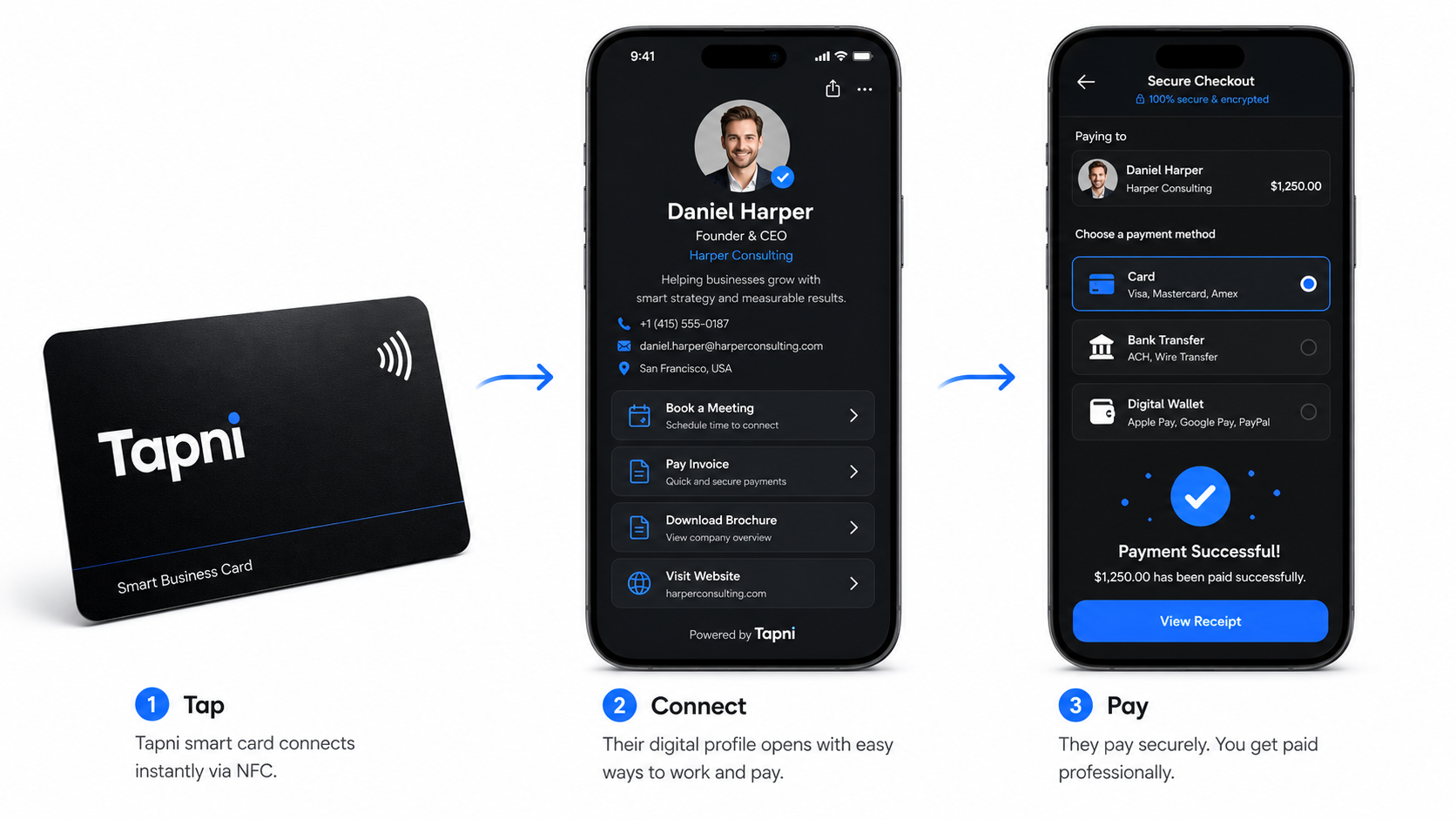
A Tapni digital business card can contain custom links to your website, booking page, product catalogue, proposal, or checkout page. When you meet someone in person, you can share the profile via NFC card, QR code, wallet pass, or link. For the different sharing options, see how to share a digital business card.
That creates a practical small-business flow:
1. Meet the customer, prospect, or partner.
2. Tap your Tapni card or let them scan your QR code to open your digital profile.
3. Let them save your contact information and view the most relevant offer, portfolio, or service.
4. Use a clearly labeled custom link such as “Book & Pay”, “Pay deposit”, “Buy now”, or “View invoice” to send them to your payment provider.
5. Let the payment processor securely complete the transaction.
This is especially useful at conferences and trade shows, where a conversation may turn into a demo, paid consultation, product purchase, or deposit. The goal is to avoid making a new contact search through old emails or type a long checkout URL after the meeting.
If you are new to this format, Tapni’s explainer on what a digital business card is shows how NFC, QR codes, and shareable links work together.
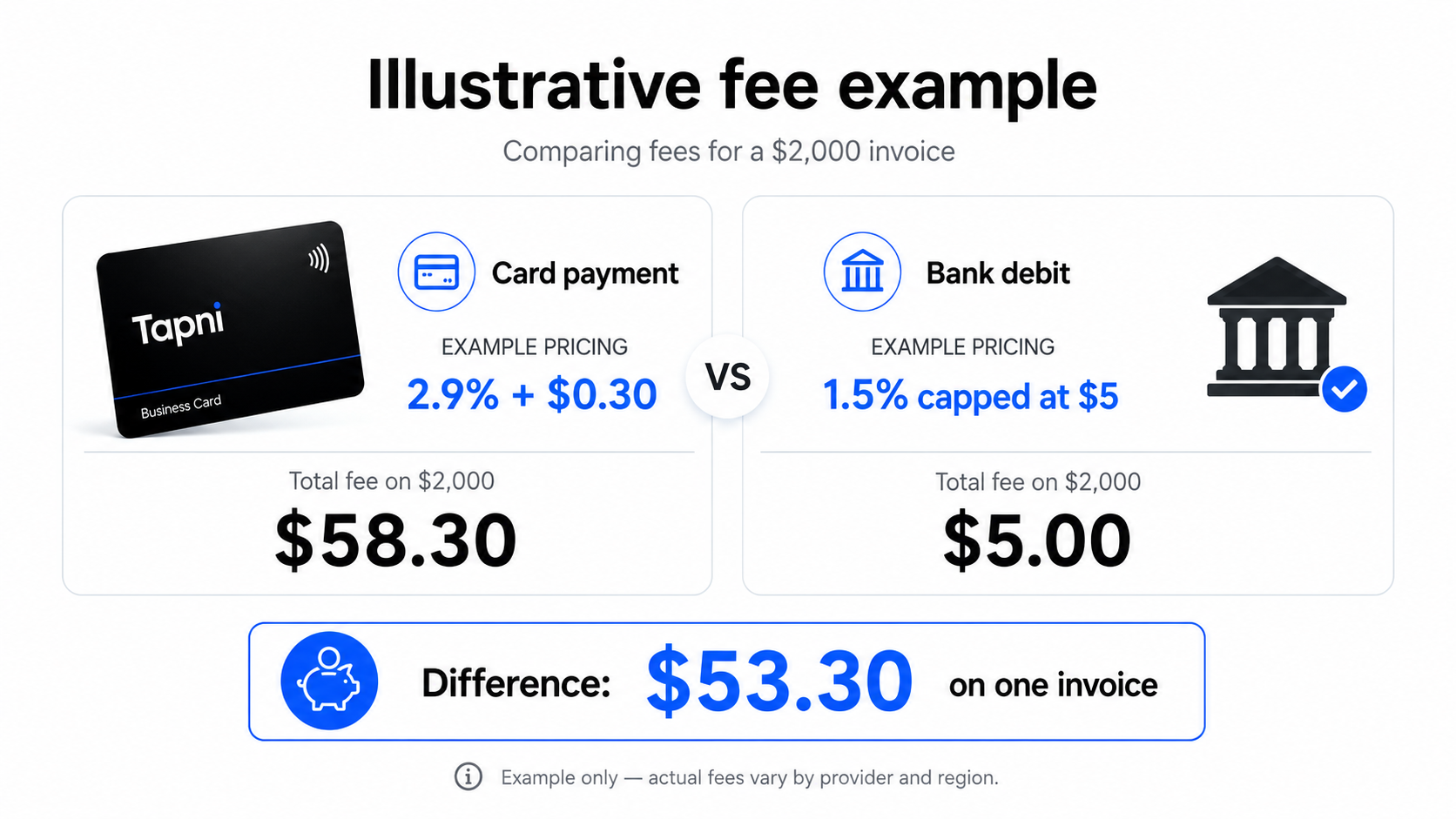
Payment costs matter most when transaction size increases. Imagine a US-based service business collecting a $2,000 invoice. If a card payment costs roughly 2.9% plus a small fixed fee, the processing cost is about $58. If a bank debit provider charges a lower percentage with a $5 cap, the fee may be only $5.
That difference can be meaningful on recurring retainers. On the other hand, for a $30 in-person purchase, optimizing for the absolute lowest fee can create unnecessary friction. The better experience may be to accept a contactless card instantly and move to the next customer.
A practical setup for many small businesses is therefore layered: hosted checkout links for online sales, invoice or bank-debit options for larger B2B payments, and fast contactless acceptance for in-person transactions.
Example: Whop for online and in-person payments
One current example of a platform combining online checkout links with in-person phone payments is Whop. In July 2026, Whop announced Tap to Pay on iPhone inside its iOS app, allowing sellers to accept contactless cards and digital wallets through supported checkout links without a separate terminal.
Whop’s own documentation should be the source of truth for current fees, supported regions, payout timing, recurring-payment behavior, and other limitations, because payment pricing changes over time. The broader lesson is more useful than any single provider’s rate: if you sell both online and face to face, using one system for checkout links and in-person payments can make reconciliation easier.
How to choose the right payment setup
Before opening accounts with multiple providers, map the way customers actually buy from you. Then choose the smallest stack that covers those situations.
• Mostly online products: start with a hosted checkout page and digital wallets.
• B2B services and consulting: prioritize professional invoices and bank debit for larger amounts.
• Retail or a fixed counter: compare card-present pricing and terminal hardware.
• Events, pop-ups, field sales, and mobile services: check Tap to Pay support on your phone and payment app.
• High-ticket consumer sales: test buy now, pay later only if the additional conversion justifies the higher fee.
• Relationship-led sales: make your booking or payment link easy to reach from your digital business card and follow-up messages.
For businesses that rely heavily on face-to-face selling, the payment tool is only one part of the system. Your contact exchange and follow-up process matter too. Tapni’s guide to networking better with NFC cards covers the steps before and after the transaction.
What is the cheapest way for a small business to accept payments?
There is no single cheapest method for every sale. Bank debit is often attractive for larger invoices because fees can be lower than cards, while card-present or phone-based contactless payments may be more practical for smaller in-person sales. Always compare the full provider pricing for your country and average transaction size.
Can I accept card payments with just my phone?
Yes, in supported markets. Tap to Pay on iPhone lets participating payment apps accept contactless cards and digital wallets on a compatible iPhone without extra reader hardware. Android payment providers offer similar NFC-based solutions. Support varies by country and provider.
Can I put a payment link on my digital business card?
Yes. If your digital business card supports custom links, you can add a secure checkout, booking, deposit, invoice, or payment URL from your payment provider. Tapni profiles support custom links, so a customer can move from your contact profile to the provider-hosted checkout. Tapni itself does not process the payment.
Do I need a traditional merchant account?
Often not in the old-fashioned sense. Modern payment service providers can onboard small businesses and provide card processing, hosted checkout, invoices, or in-person acceptance under their platform setup. However, the legal model differs between providers: a payment service provider is not automatically the merchant of record for your sale, so check the provider’s terms and responsibilities.
Should I offer buy now, pay later?
It can make sense for higher-ticket consumer purchases if it measurably improves conversion or average order value. Because merchant fees are generally higher than standard card processing, compare the incremental revenue with the additional cost before making BNPL a default option.
The best payment experience is the one that removes the next obstacle
Small businesses do not need every payment method. They need the right method at the right moment. Make online checkout easy, give B2B customers a sensible invoice or bank-payment option, and use contactless phone payments when speed matters in person.
Then connect those tools to the way customers already discover and interact with you. If you meet customers face to face, your business card, QR code, follow-up message, booking link, and payment page should feel like one continuous journey rather than five disconnected tools.
A Tapni smart NFC business card can be the physical starting point for that journey: one tap opens your digital profile, where customers can save your details and continue to the links that matter most.